What a 94% of First-Time Players Miss When Installing Fishin' Frenzy
The mistake costs nothing at first — just 87 MB of storage and two minutes. You search «Fishin' Frenzy app», tap the first result, install, register, and fund £20. Three days later, your withdrawal sits in pending limbo because the site has no UKGC licence number in the footer, and GAMSTOP doesn't recognise the operator. Your bank won't chargeback gambling transactions. The £20 is gone, and your details are with a company outside UK jurisdiction.
The legitimate path to Fishin' Frenzy on mobile involves four install methods, each with different risks. Most players pick the wrong one because they skip the licence check. Here's what the store listing won't tell you, which permissions mean trouble, and how to confirm you're playing the real Blueprint Gaming version under UK rules.
The Store Card Numbers and What They Hide
Fishin' Frenzy doesn't have a standalone app in the Play Store or App Store. What you find are casino operator apps that host the game, branded with the operator's name. The card below shows typical specs for a UKGC-licensed casino app carrying Blueprint Gaming slots.
The rating average hides the distribution: four-star reviews come from players who cleared KYC in 24 hours, one-star reviews from those stuck in affordability checks. Downloads over 500,000 sound safe, but unlicensed clones reach that count through incentivised installs in markets where Google's vetting is lighter. The «Free» price is accurate — you never pay to download — but the in-app purchase ceiling of £100 reflects the deposit limit most operators set before triggering affordability checks at £150 net deposits per month under UKGC rules. The beginner mistake: assuming high download numbers equal legitimacy. The second mistake: not checking if the developer listed matches the operator's UKGC licence entry.
Five Screens You'll See and One You Shouldn't
The install flow on a legitimate UKGC-licensed app follows this sequence, with one screen that only appears on unlicensed sites.
- Splash screen with operator logo and UKGC badge: 2–3 seconds while the app checks your device's region. If this screen shows a Curaçao or Malta logo instead of UKGC, close the app immediately — it's geo-spoofing or serving the wrong market.
- Age gate and identity pre-check: asks for date of birth before you reach the game lobby. Licensed apps block under-18s here and cross-reference your details with credit agencies. Unlicensed apps skip this or accept any date you type.
- Game lobby with search and filters: Fishin' Frenzy sits under «Slots» or «Popular». The stake caps — £5 per spin, £2 if you're 18–24 — are enforced in the game itself, not shown here. Many players assume the lobby previews show real RTPs; they don't.
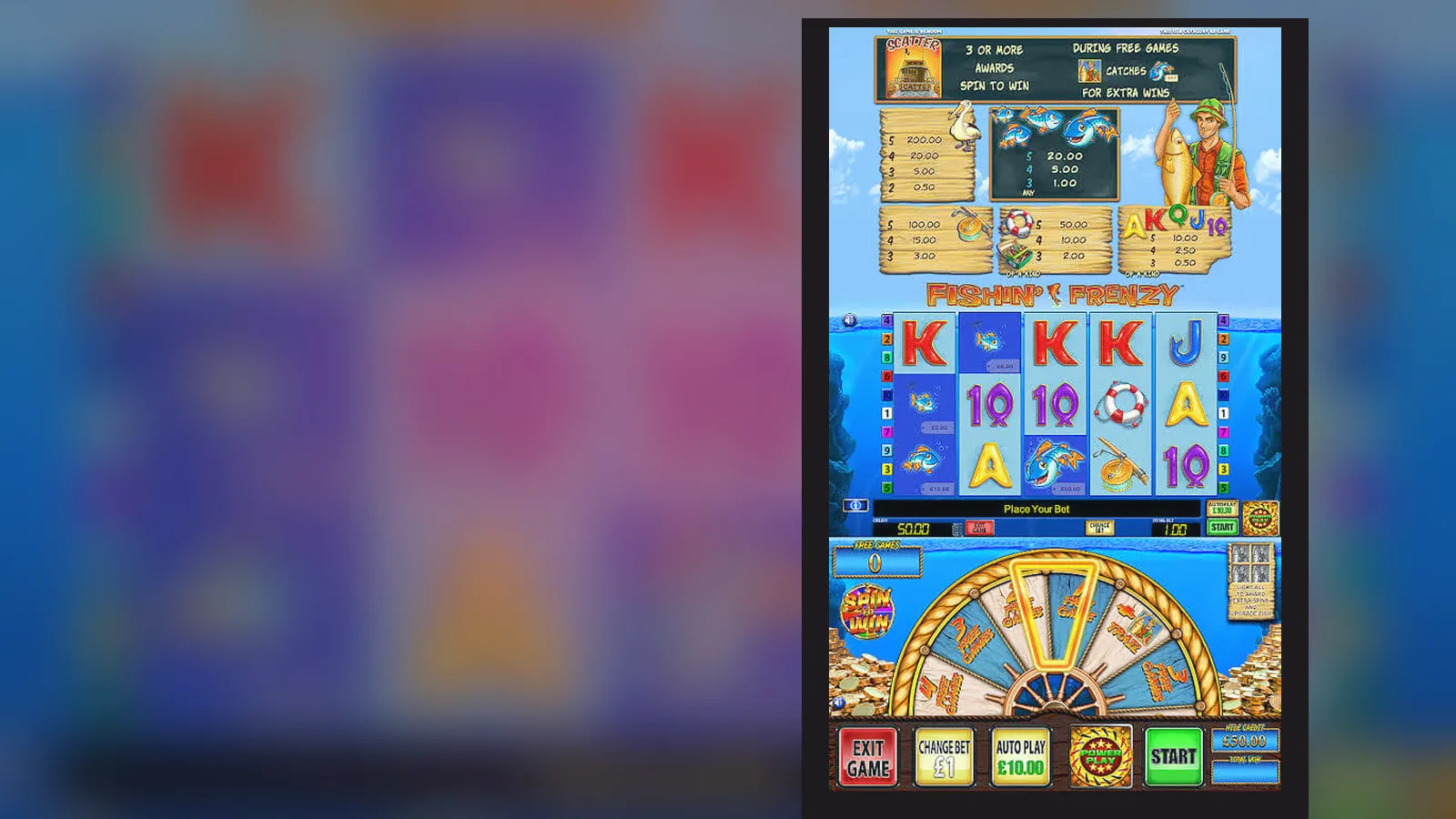
- The game screen: 5 reels, 10 paylines, autoplay options, and a stake selector capped at £5 or £2 depending on your age. The free spins trigger shows a fishing boat and four scatter symbols. If the scatter count differs or the boat graphic looks off, you're playing a reskinned clone.
- Cashier and withdrawal screen: deposit methods include debit cards, PayPal, Apple Pay, Open Banking, and paysafecard. Credit cards don't appear in the list — they've been banned for gambling since 2020. Withdrawal times via Faster Payments are same day to two working days after KYC clears. First-time withdrawals take 24–48 hours for document checks. If the app offers credit card deposits or promises instant withdrawals with no verification, it's unlicensed.
- The screen you shouldn't see: a «VIP host contact» pop-up or a message offering to increase your limits in exchange for uploading more documents. UKGC-licensed operators can't bypass affordability checks this way. If you see this, you're on an unlicensed site that's trying to extract higher deposits before KYC reveals you can't afford them.
Four Install Paths and Where Each One Breaks
Most players pick path three because it feels faster. Path three is also where most fraud happens.
| Method | Steps | Risk | When to Use | |
|---|---|---|---|---|
| Browser (no install) | 1. Open Chrome or Safari. 2. Navigate to operator site. 3. Log in. 4. Tap «Slots», find Fishin' Frenzy. 5. Game loads in HTML5. | Low. No permissions requested. Session ends when you close the tab. | First-time trial, checking if the operator holds a UKGC licence before installing anything. | → |
| Add to Home Screen | 1. Open the site in Safari (iOS) or Chrome (Android). 2. Tap Share (iOS) or three-dot menu (Android). 3. Select «Add to Home Screen». 4. Icon appears on your home screen. 5. Tap to launch; game runs in a browser frame. | Low. It's a bookmark, not a real app. No access to device storage or contacts. | Regular play without granting app-level permissions. Game performance matches the browser version. | → |
| Operator App from Store | 1. Search the operator's name in Play Store or App Store (not «Fishin' Frenzy» alone). 2. Check developer name matches the UKGC licence holder. 3. Read permissions: storage for cache, network for gameplay. 4. Install. 5. Open, register, verify age. 6. Find Fishin' Frenzy in the lobby. | Medium. Legitimate apps request storage, camera (for KYC uploads), and network. Clones request contacts, SMS, and phone state. | When you've confirmed the operator's UKGC licence number and want faster load times than the browser version. | → |
| APK from Third Party | 1. Enable «Unknown Sources» in Android settings. 2. Download APK from a non-Store site. 3. Install manually. 4. Open app. | High. APKs bypass Google's vetting. You can't verify the source. Malicious APKs request all permissions and install adware or keyloggers. No UKGC-licensed operator distributes APKs directly. | Never. If an operator can't get their app into the Play Store, they either don't have a UKGC licence or failed Google's gambling policy checks. | → |
What Your Phone Needs and What Drains the Battery
Fishin' Frenzy runs on HTML5, which means it's less demanding than native 3D games. The Blueprint Gaming version works on any smartphone from 2019 onwards, but the experience varies by device age and connection quality.
- Operating system: Android 7.0 or later, iOS 12 or later. Older versions can load the game, but autoplay and animations lag.
- RAM: 2 GB minimum. With 1 GB, the game loads but crashes mid-session if you switch apps.
- Storage: 150 MB free space for the app and cache. The app itself is 87 MB; cached game assets add another 50–60 MB over time.
- Network: 4G or Wi-Fi. The game pulls reel strips and animations from the server in real time. On 3G, spins take 4–5 seconds instead of 1–2. If your connection drops mid-spin, the spin completes on the server, and the result appears when you reconnect — you don't lose the stake, but you might miss the outcome.
- Battery: expect 15–20% drain per hour on autoplay with animations enabled, 8–10% with animations off. The game uses more battery than browsing because it streams video assets for the free spins boat animation.
The performance killer is autoplay on an older phone over 4G. Each spin requests fresh RNG data from the server, and the phone renders reel animations locally. If your device is from 2018 or earlier, play manually with animations disabled to avoid overheating.
What the App Does That the Desktop Version Doesn't
The mobile version of Fishin' Frenzy has three differences from the desktop game, and one feature that only exists in the operator's app wrapper.
- Touch-optimised stake selector: instead of clicking arrows, you swipe the coin value up or down. The £5 cap (£2 for 18–24-year-olds) is enforced here, not adjustable even if you try to edit the value manually.
- Portrait and landscape modes: the game auto-rotates. Portrait mode is playable but cramped; landscape gives you the full paytable and settings access without covering the reels.
- Notifications for bonuses and promotions: if you enable push notifications, the operator app can alert you to deposit matches or free spin offers. These are marketing messages, not game features. The base game doesn't notify you of wins or losses — that would fall under «encouragement to continue» under CAP codes.
- Session timers and Reality Check pop-ups: UKGC rules require operators to show you a summary of time played and net position every hour (or at a custom interval you set). The app version enforces this more strictly than desktop because it tracks your session even if you minimise the app. If you ignore three consecutive Reality Checks, the game locks you out for 24 hours.
The feature list in version 3.2.1 (updated 18 October 2026) includes improved session recovery — if the app crashes or your connection drops, reopening the app takes you back to the last completed spin, not the login screen. Previous versions lost your place and required manual navigation back to Fishin' Frenzy in the lobby.
Six Permission Requests That Mean You've Downloaded a Clone
Legitimate casino apps from UKGC-licensed operators request three permissions: storage (for cache), camera (for KYC document uploads), and network (to load the game). Any app requesting the following is either a clone or a scam wrapper.
- Contacts: no licensed operator needs your contact list. Clones harvest this to send spam or phishing messages to your contacts, often spoofing your number.
- SMS and call logs: used to intercept two-factor authentication codes or track your banking messages. If an app requests this, uninstall immediately and change your passwords.
- Phone state and identity: allows the app to read your IMEI number and active calls. Clones use this to track your device across app reinstalls and detect if you're calling your bank to dispute charges.
- Location when app is closed: legitimate apps request location once to confirm you're in the UK before serving real-money games, then stop. Clones track your location continuously to build behavioural profiles for ad targeting.
- Modify system settings: lets the app change your notification preferences, install additional APKs, or disable security warnings. No gambling app needs this permission.
- Draw over other apps: allows the app to display pop-ups on top of your banking or payment apps. Clones use this to capture card details or PIN entries via overlay phishing.
Before installing any operator app, cross-check the developer name against the UKGC public register. The register lists the licence holder's legal entity — if the Play Store developer name doesn't match, the app is fake. The second check: open the installed app and scroll to the footer. The UKGC licence number should appear on every screen, not just the homepage. If the footer shows a Curaçao eGaming logo or a Malta Gaming Authority badge, you're on an unlicensed clone targeting UK players through geo-spoofing. Uninstall, and if you've deposited, contact your bank's fraud team before attempting to log in again.
FAQ
Can I download Fishin' Frenzy directly from Blueprint Gaming's website?
No. Blueprint Gaming licenses the game to casino operators; they don't distribute it directly to players. You access Fishin' Frenzy through a UKGC-licensed operator's site or app. If a site claims to offer «direct from Blueprint», it's a clone. Check the operator's UKGC licence number in the footer before registering.
Why does my app show a £2 stake cap when my mate's shows £5?
The UKGC imposes a £2 per spin cap for players aged 18–24, and £5 for those 25 and over. The operator checks your age during registration and applies the correct limit. Your mate is either over 25 or playing on an unlicensed site that doesn't enforce UK age-based stake rules. If you're over 25 and still seeing £2, contact the operator — it's a KYC error.
I installed the app from a site that promised no deposit limits, but now I can't withdraw — what happened?
That site doesn't hold a UKGC licence. Unlicensed operators advertise «no limits» because they don't follow UK affordability rules, but they also don't honour withdrawals. Your funds are with an overseas company outside UK jurisdiction. You can report the site to the UKGC, but recovery is unlikely. For future play, check the UKGC public register and verify the licence number in the app footer before depositing.
The app keeps asking me to upload bank statements for a £30 withdrawal — is this normal?
Yes, if this is your first withdrawal or you've deposited over £150 in a month. UKGC operators run affordability checks using credit-reference data first, then request documents if the data flags inconsistencies. The process takes 24–48 hours. If you've deposited under £150 and the operator is asking for statements on your first £30 withdrawal, it's either an over-cautious compliance team or you're on an unlicensed site using KYC as a withdrawal stalling tactic. Check the licence number and, if legitimate, comply — the documents unlock faster withdrawals on future requests.